SmartNoteZ
UI Walkthrough
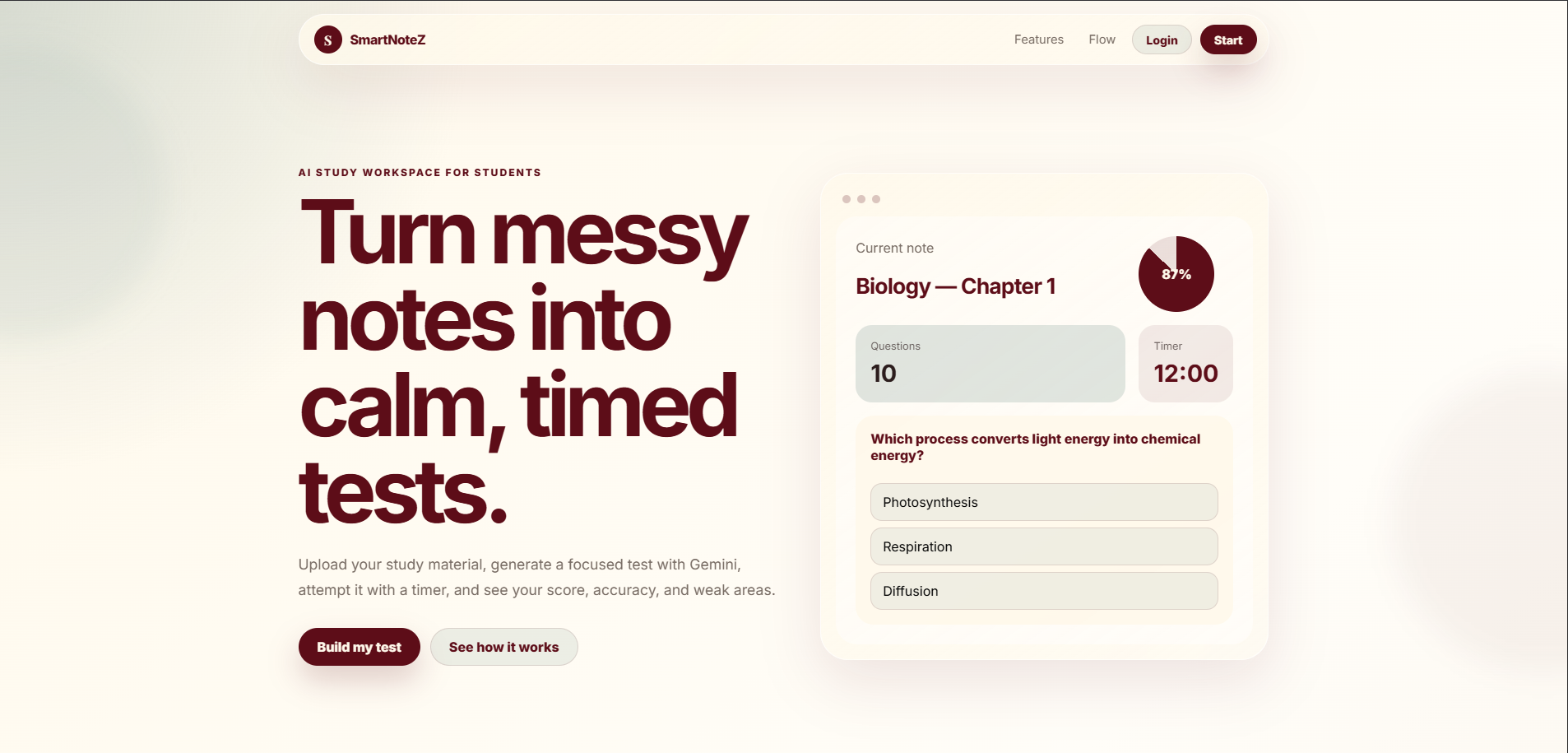
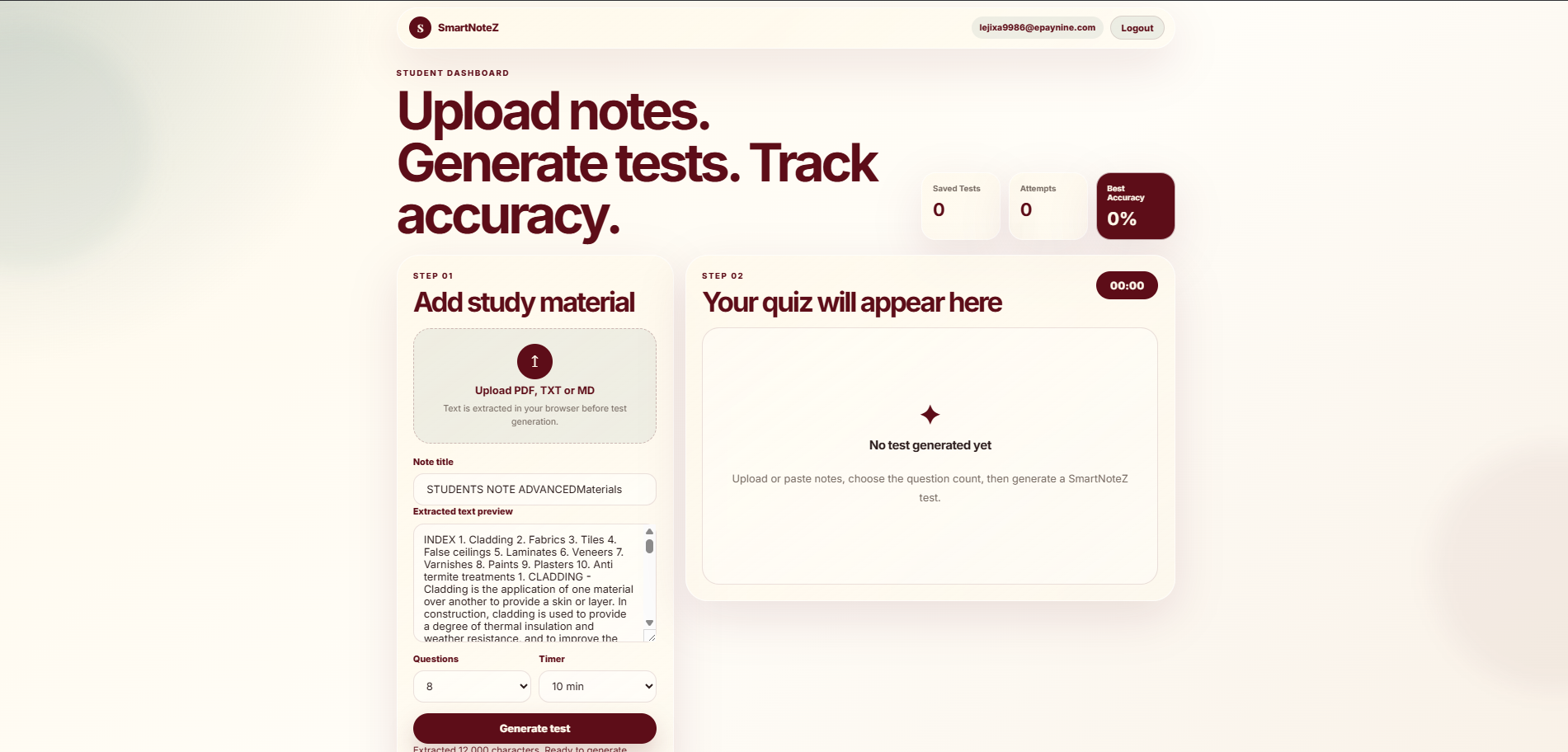
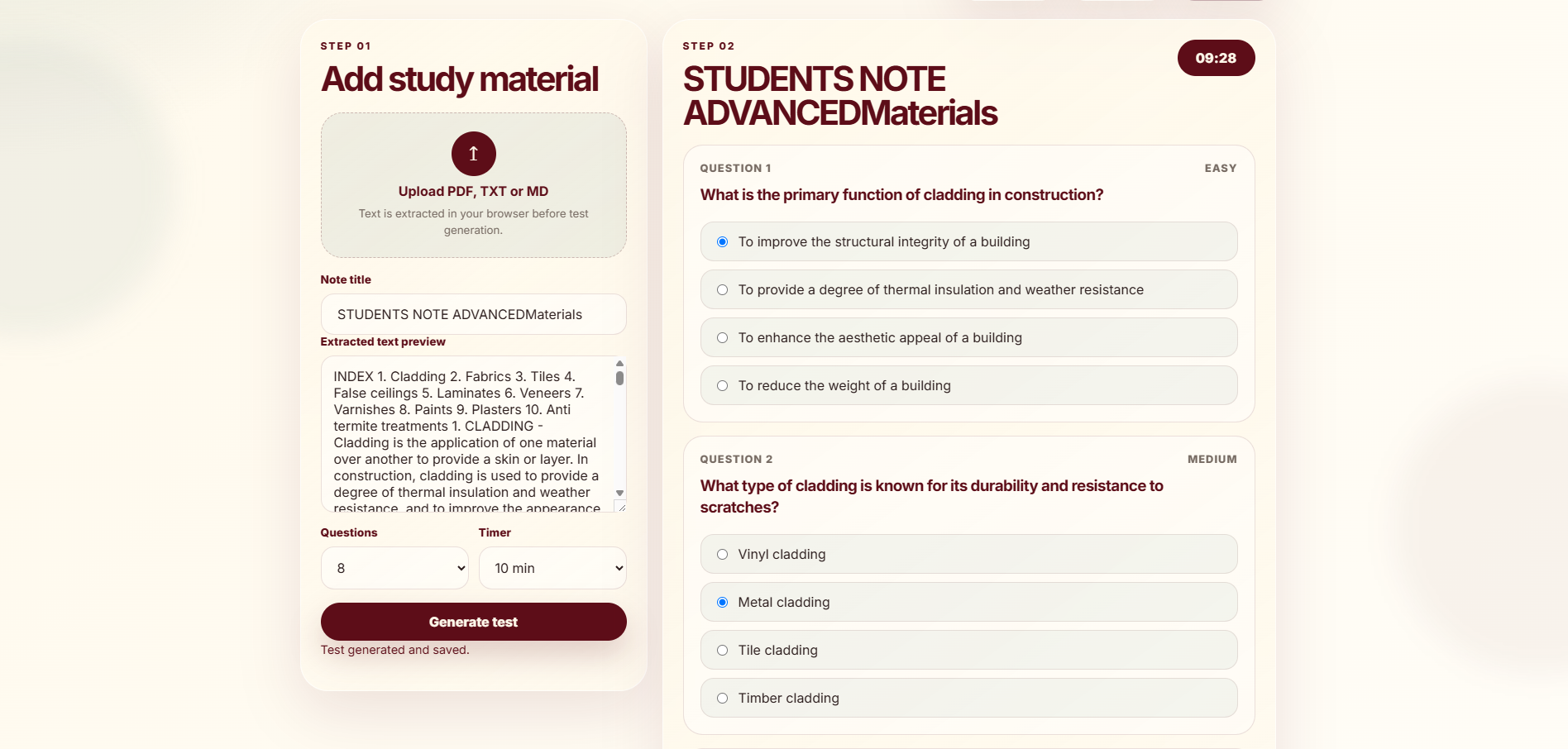
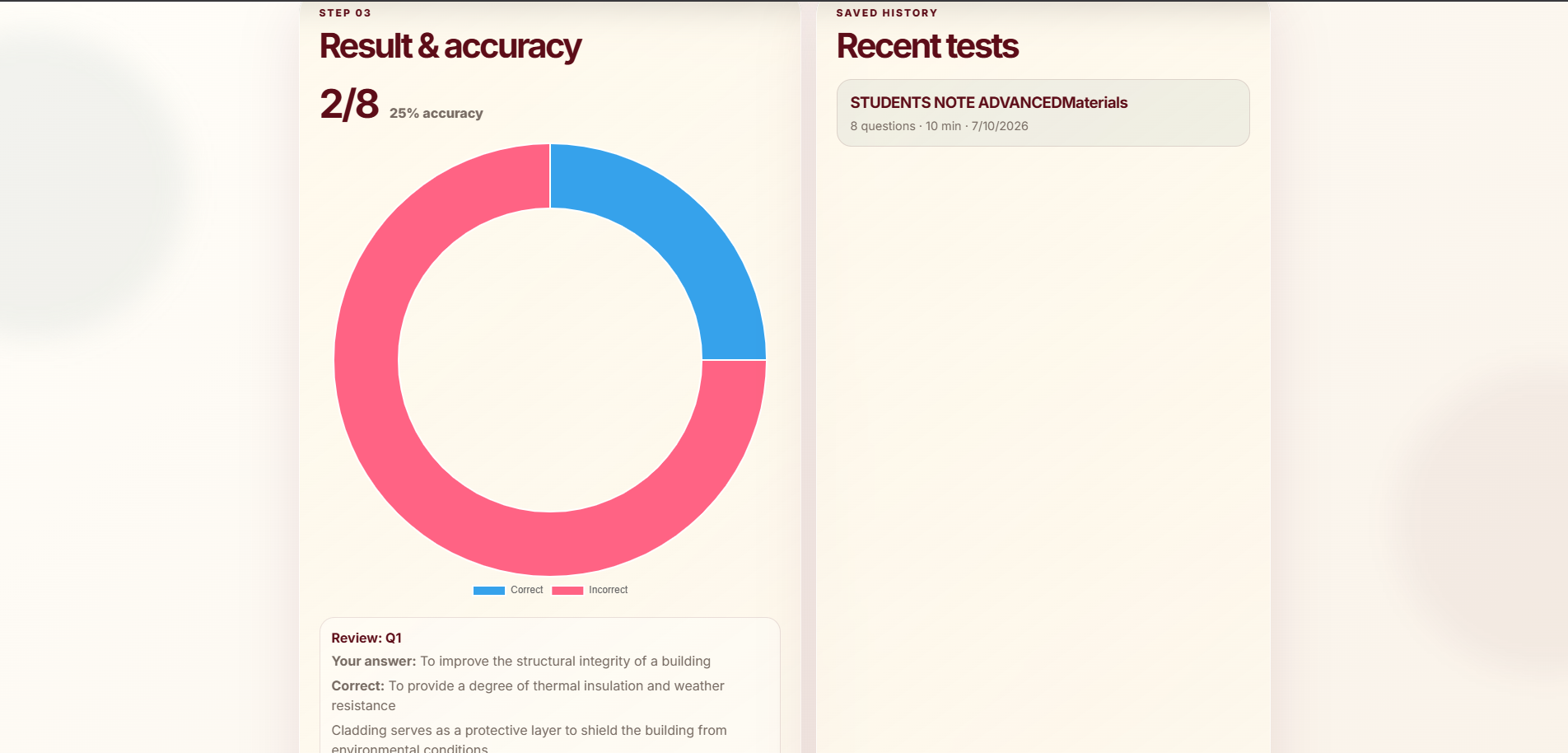
Here is a visual tour of the SmartNoteZ experience — from uploading notes to viewing results.
Overview
SmartNoteZ is a calm, aesthetic portfolio project that transforms how students study. By combining note-taking with AI-powered quiz generation, it helps students upload their study materials and automatically generate timed tests to assess their understanding.
The project was built as a full-stack web application with a focus on clean design, practical utility, and real-world learning outcomes.
Live Demo: smartnotez.vercel.app
The Problem
Students often spend hours creating practice questions from their notes—a time-consuming process that takes away from actual studying. Many note-taking apps store information but don't help students test their knowledge. The gap between taking notes and retaining information needed a bridge.
The Solution
SmartNoteZ solves this by letting students:
- Upload notes in PDF, TXT, or Markdown format
- Extract text automatically using PDF.js and FileReader
- Generate timed quizzes via AI (Gemini or Groq APIs)
- Attempt tests and immediately view scores with accuracy metrics
The result is a seamless workflow from notes → quiz → feedback, all in one clean interface.
Tech Stack
- Frontend: HTML, CSS, JavaScript
- Backend: Node.js + Express
- Auth + Database: Supabase
- AI Integration: Gemini API / Groq API
- PDF Processing: PDF.js (browser-side)
- Data Visualization: Chart.js
How It Works
- Student logs in — Supabase authentication
- Uploads notes — PDF, TXT, or MD files
- Browser extracts text — PDF.js or FileReader
- Frontend sends text — to Express backend
- Backend prompts AI — structured prompt to Gemini/Groq
- Gemini returns questions — clean JSON data
- Frontend renders quiz — timed test interface
- Results saved — accuracy stored in Supabase
Key Features
- Student Authentication: Secure login powered by Supabase—no quiz generation without an account.
- Multi-Format Note Upload: Supports
.pdf,.txt, and.mdfiles. - AI-Generated Quizzes: The backend sends structured prompts to Gemini or Groq, receiving clean JSON question data.
- Timed Testing: Students attempt quizzes under timed conditions, simulating real exam pressure.
- Performance Tracking: Scores and accuracy are saved, with Chart.js visualizing results.
Cost Optimization Strategy
SmartNoteZ is designed with free-tier users in mind:
- Uses Groq's llama-3.1-8b-instant models for low-cost/free-tier friendly usage
- Limits extracted notes to ~12,000 characters in the frontend
- Generates 5–10 questions per quiz to start
- Restricts quiz generation to logged-in users only
⚠️ Note: Gemini and Supabase free-tier limits can change—always check dashboards before deploying publicly.
Setup Overview
- Create a Supabase project — copy Project URL and anon public key, run
database/schema.sql - Configure frontend — add Supabase details to
frontend/js/config.js - Set up backend — configure
.envwith GROQ_API_KEY and Supabase credentials - Run the project —
npm install && npm run devfrom root, or run backend and frontend separately
What Makes SmartNoteZ Stand Out
- Aesthetic design — calm, student-friendly interface
- Practical utility — solves a real student pain point
- AI-native — leverages modern LLMs for content generation
- Cost-conscious — optimized for free tiers
- Full-stack showcase — demonstrates frontend, backend, auth, and AI integration skills